
Introduction
The World Wide Web is one of the most widely used services on the Internet. The World Wide Web helps users access information, websites, and online services through web browsers. Since its development in the early 1990s, the web has changed how people learn, communicate, and share information online. Today billions of users access websites daily for education, business, entertainment, and communication.
World Wide Web
The World Wide Web, often called the web, is a global collection of electronic documents connected through the Internet. Each document on the web is called a webpage. A webpage can include text, images, audio, animation, and video.
Some webpages are static. Static webpages display the same information every time users open them. Other webpages are dynamic. Dynamic webpages change their content based on time, location, or user activity. For example, dynamic pages show weather updates, stock prices, or airline ticket availability.
Websites and Web Servers
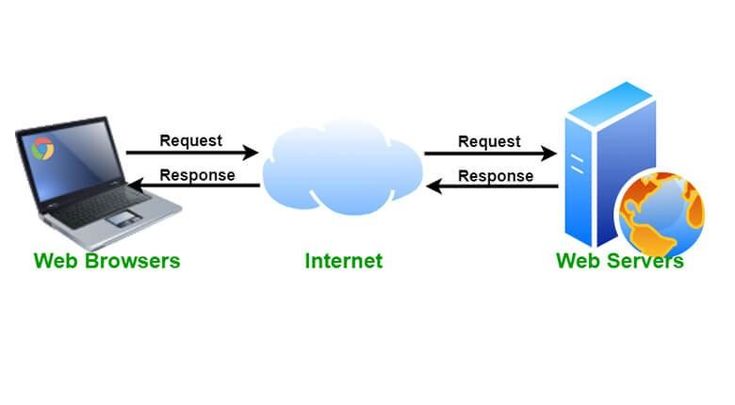
A website is a group of related webpages stored together on a computer called a web server. A web server stores website files and sends them to users when they request them through a browser.
One server can host many websites. When a user enters a website address, the browser sends a request to the server. The server processes the request and returns the webpage to the user’s device.
During the mid 2000s, experts introduced the term Web 2.0. Web 2.0 describes websites that allow users to interact, share content, and collaborate online. An example is Wikipedia.
Web Browsers
A web browser is software used to access and display webpages on the Internet. Browsers retrieve webpages from servers and present the content on computers and mobile devices.
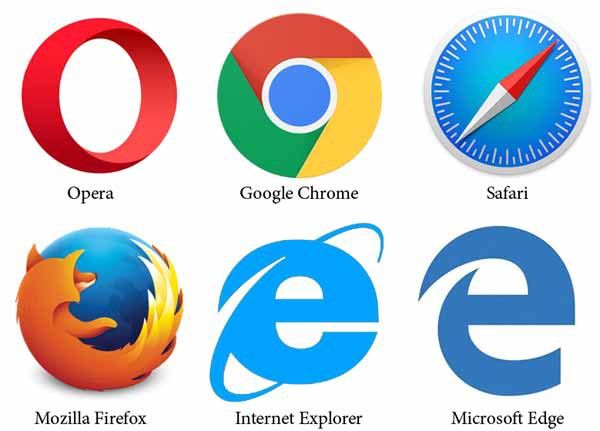
Common browsers include:
- Google Chrome
- Firefox
- Microsoft Edge
- Safari
- Opera
Each browser has different features related to speed, security, and compatibility.
Browser Configuration and Features
Modern browsers include several useful tools.
Favorites, also called bookmarks, allow users to save links to frequently visited websites. Users select the saved link instead of typing the address again.
Security features protect users from harmful websites. These tools block suspicious pages and protect personal information.
Privacy features help control browsing data. These features reduce access to browsing history and stored website information.
Obtaining and Updating Browsers
Many operating systems include a browser by default. For example, Windows devices include Microsoft Edge, while Apple devices include Safari.
Users also download browsers using search engines such as Google Search.
Regular updates improve browser performance and security. Many browsers install updates automatically.
Web Addresses and URLs
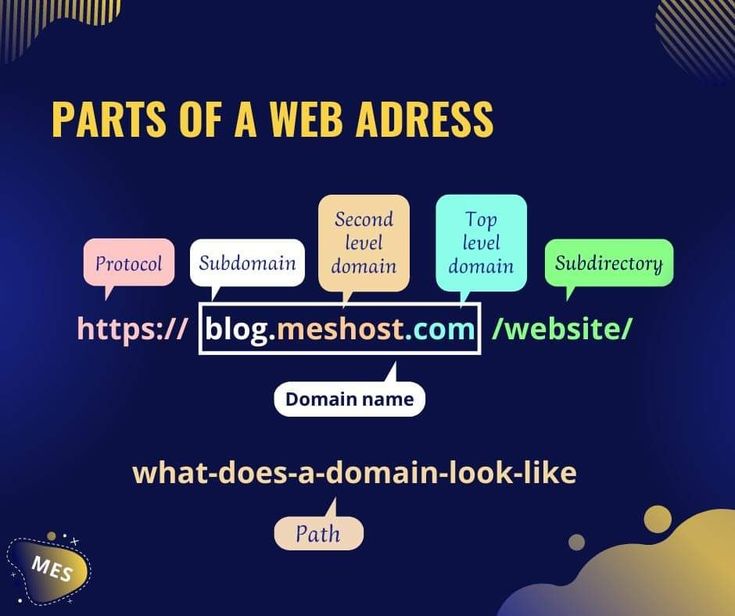
Every webpage has a unique web address called a URL. URL means Uniform Resource Locator.
A URL normally contains three main parts which are protocol, domain name and file path.
The protocol defines rules used to transfer webpages. The most common protocol is HTTP, meaning Hypertext Transfer Protocol.
.When a user enters a web address in a browser, the browser sends a request to the web server. The server then returns the webpage to the browser so the user views the information.
Web Apps and Mobile Apps
A web app is software stored on a web server and accessed through a browser. Users interact with web apps directly through websites.
Many web apps store user information using cloud storage systems.
A mobile app is software downloaded to smartphones or tablets. Mobile apps often use device features such as cameras, microphones, GPS systems, and touch screens.
Types of Websites
The web contains many types of websites created for different purposes.
Examples include:
- search engines
- social networks
- educational websites
- business websites
- news websites
- entertainment platforms
- online stores
- blogs and wikis
Search Engines
A search engine is software used to locate information on the web. Popular examples include Google Search,Microsoft Bing, and Yahoo Search.
Search engines allow users to find:
- images
- videos
- maps
- audio recordings
- news articles
- books
- websites
Users type keywords called search text to describe the information they want. The search engine scans billions of webpages and shows the most relevant results.
Summary
The World Wide Web is a global system of webpages connected through the Internet. Webpages contain information such as text, images, videos, and audio. Websites store these webpages on servers and deliver them to users through web browsers.
Browsers help users open websites, save favorite pages, and stay protected through security and privacy tools. Web addresses help browsers locate webpages, while web apps and mobile apps allow users to perform many tasks online.
Today the web contains many types of websites and services, and search engines help users quickly find the information they need.